はじめに
Linux で定期的に ls コマンドなどでディレクトリに何か変化がないか調べたい時があった。
環境
Windows 10 Professional
WSL (Ubuntu22.04 LTS)
watchコマンドを使おう!
watch というコマンドを使用することで実現できる。
watch のヘルプは下記のような感じ。
Usage:
 watch [options] command

Options:
  -b, --beep             beep if command has a non-zero exit
  -c, --color            interpret ANSI color and style sequences
  -d, --differences[=<permanent>]
                         highlight changes between updates
  -e, --errexit          exit if command has a non-zero exit
  -g, --chgexit          exit when output from command changes
  -n, --interval <secs>  seconds to wait between updates
  -p, --precise          attempt run command in precise intervals
  -t, --no-title         turn off header
  -w, --no-wrap          turn off line wrapping
  -x, --exec             pass command to exec instead of "sh -c"

 -h, --help     display this help and exit
 -v, --version  output version information and exit

For more details see watch(1).
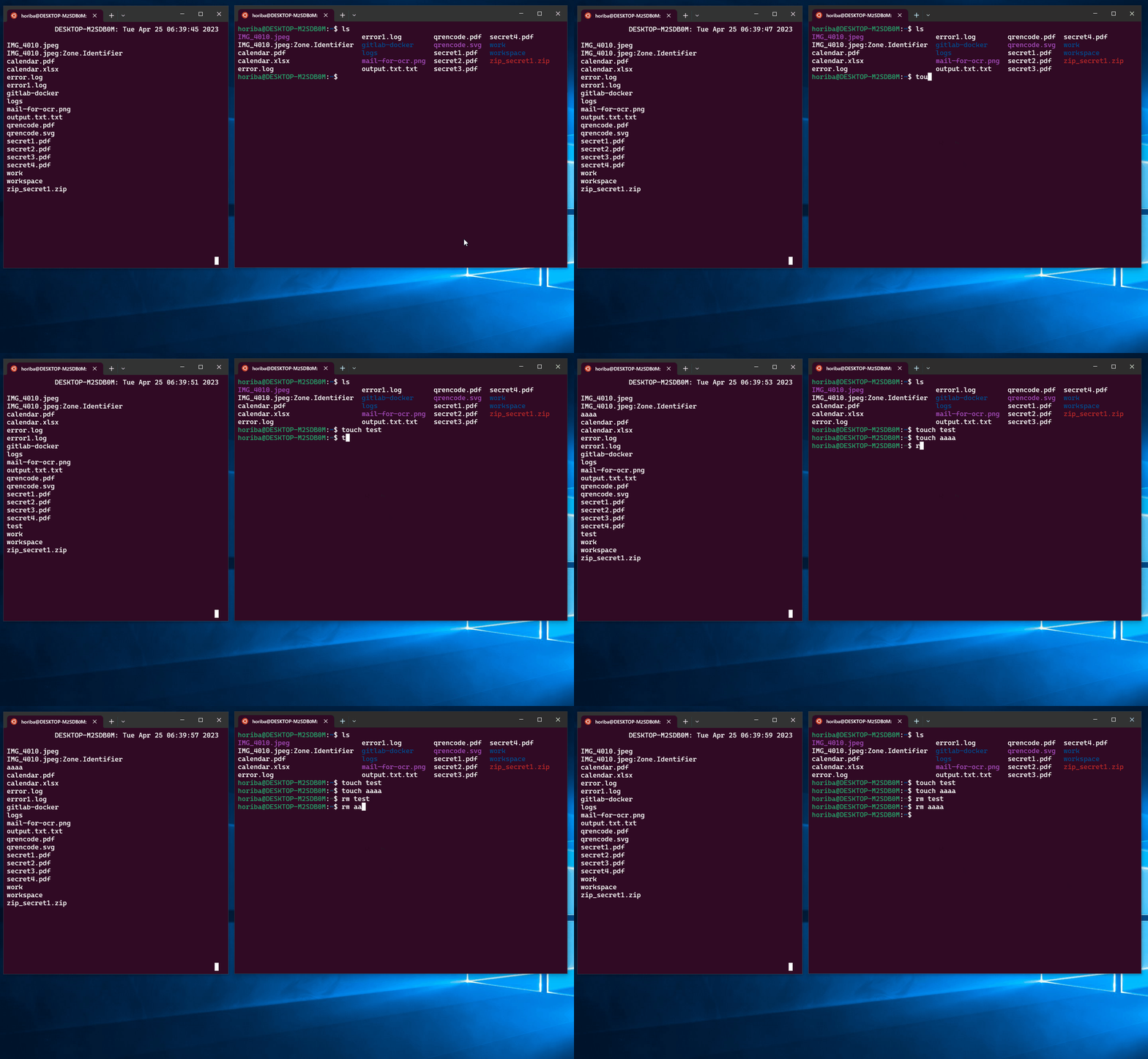
実際に ls コマンドを 1秒ごとに実行したい場合は下記のようなコマンドになる。
watch -n 1 ls実際に実行した図↓
参考
- 【 watch 】コマンド――コマンドを一定間隔で繰り返し実行する https://atmarkit.itmedia.co.jp/ait/articles/1806/29/news037.html
おわりに
コマンドをずっと実行し続けたいという場面があったので調べた。
結構簡単にできるので覚えて使っていきたい。